This is the Core 2 CPU cooling roundup for the first quarter of 2007. We do not have many options for the start of this year. Let´s see.
To play e-sports or any kind of online gaming you need a strong CPU. But you know how hot they can get.
CPUs today keep getting hotter and more power-hungry. Some CPUs, like Intel’s Prescott core, and AMD’s FX chips have pushed to about 120W of power consumption.
Even now, even when CPUs consume less power, their thermal densities (process size) increase their heat output. Unless you buy an OEM CPU (just the CPU in a plastic box), all CPUs come with a heatsink and fan designated to cool it.
Over time these get better as the CPU gets hotter.
However, these cooling solutions are usually the minimum to cool a CPU, extremely loud, or even both. This is why third-party manufacturers have created quieter, more efficient heatsinks to alleviate the problems of a stock cooler.
The two main uses for an aftermarket cooler are to either to reduce noise in the computer or provide overclocking headroom while at the same time lowering the temperature at full load. HTPCs (Home Theater PCs) especially need a very quiet or fanless cooler. This would provide fewer distractions while using the pc.
Overclocking benefits greatly from aftermarket cooling. With a stock cooler, you will most likely not reach your CPUs maximum. Temperatures will get too high because of voltage increases and you will have to stop. This is because the stock CPU cooler is only designed to handle the CPU at stock speed and voltage.
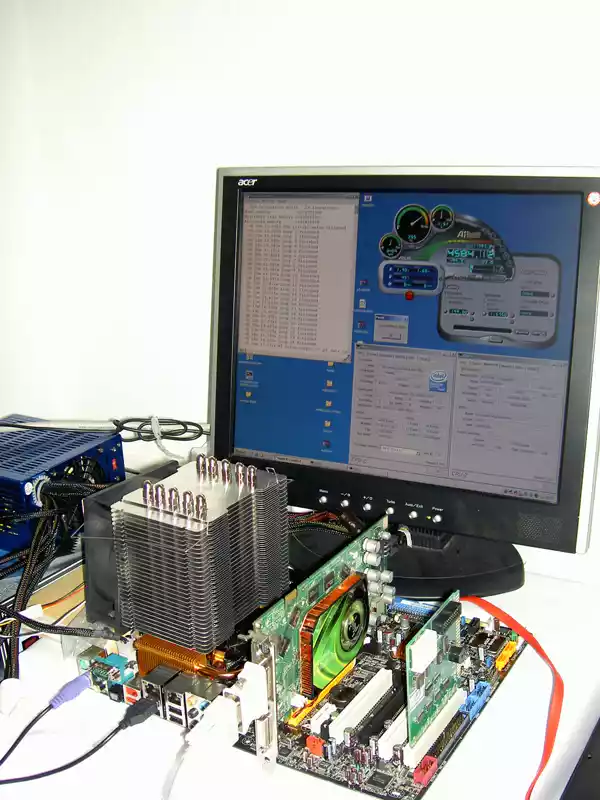
Adding an aftermarket cooler will greatly increase the speed and voltage limit of your CPU. This way, for only a $30-$50 investment, you have a good chance of overclocking your CPU to the level of CPUs that are worth double or triple the price you paid for your processor.
We tested 12 heatsinks from 6 different companies. They range in price from $30 to $50.
They vary from having 10 heat pipes down to none. Their bases are mirror-coated and very dull. Turn to the next page to see the featured heatsinks.
Test Setup and Methods
System Specifications:
Intel Core 2 Duo E6700 @ 3.52GHz, 1.42V
EVGA 680i SLI Motherboard
1GB Corsair PC2-6400
BFG 7900GTX
Samsung 250GB SATA
Procedure
The coolers were tested in a closed case. Even though we show installation on a table, the motherboard was installed into a case before running tests, and removed afterward. A hardware diode was attached at two points on the motherboard. One end was attached to the back of the motherboard, in the middle of the socket. The other end was attached to the heat spreader of the CPU. Another temperature reference used was nVidia’s nTune program. We just wanted to make sure our hardware diodes were working right. All readings are taken from hardware monitors, not software.
To heat up our CPU we ran two instances of Prime95. This program maximizes the load of any CPU, therefore forcing the CPU to expel the most heat. To measure noise results, we used a digital sound pressure level meter (SLP meter) with a background noise of 20 dB on an open testbed. We also shut off other fans, including the chipset fan, and video card fan before recording noise levels.

Author And Fact Check
Written by author J. Bond and fact checked by Martin Pino and J. Esposito to ensure that the data retrieved is objectively correct